Cabling and PoE
The wired half of the job on the same plan: where the cables run, whether each one stays inside the 90 m limit, and the switch, patch panels and cable boxes to buy.
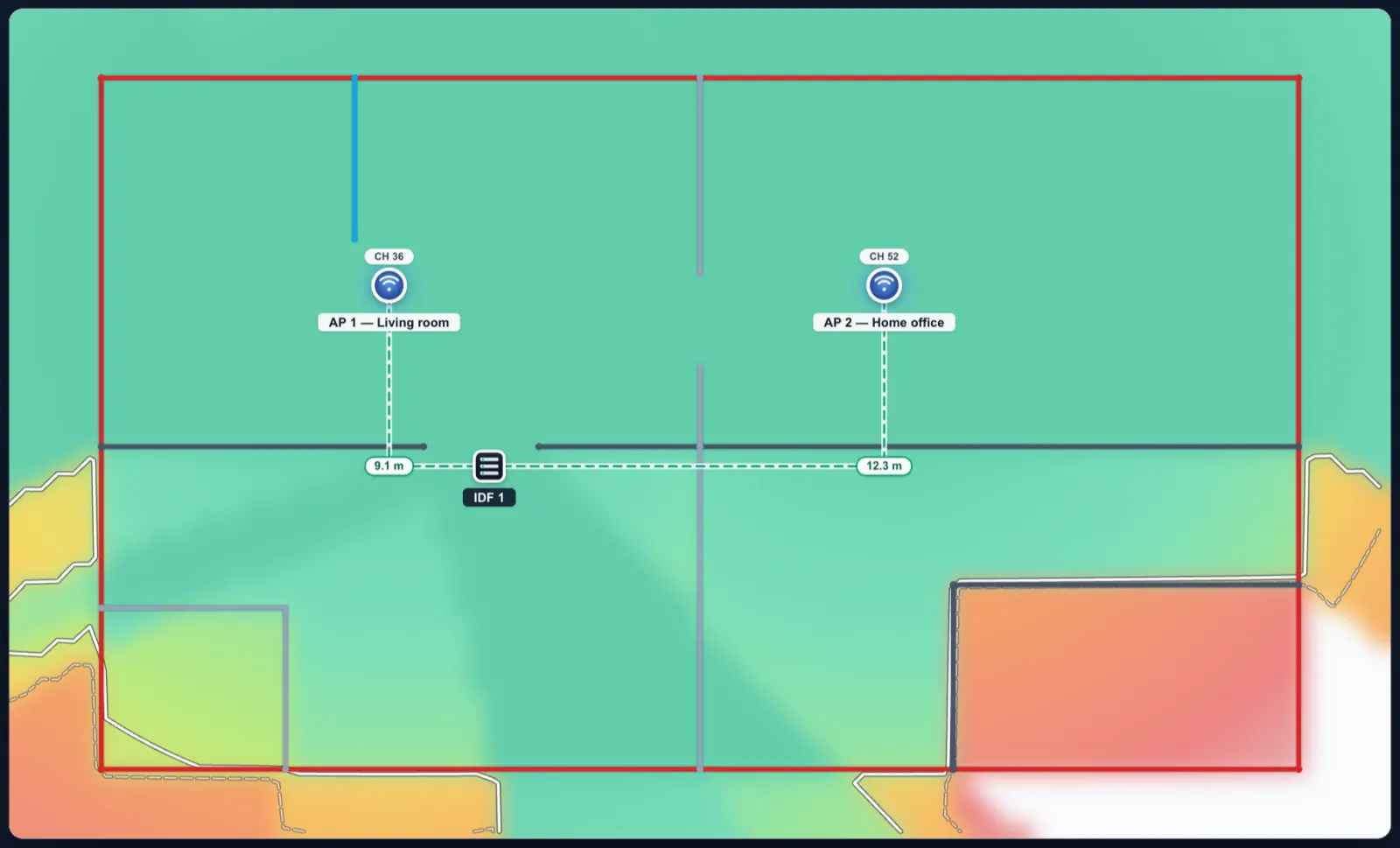
Cable runs Free
Place a wiring closet with the Closet tool (C). Every access point on that floor gets a run to its nearest closet, or to the one you pick. Each run is an estimate from the drawing: the rectilinear path across the floor, plus the climb from the closet to the ceiling (the floor’s ceiling height, 2.7 m by default) and the drop to a wall access point, plus slack (3 m at the closet by default, adjustable). Type a measured length to replace any estimate.
Every run is checked against the 90 m permanent link (the rest of the 100 m channel belongs to the patch cords): amber from 80 m, red past 90 m.
PoE and what to buy Free
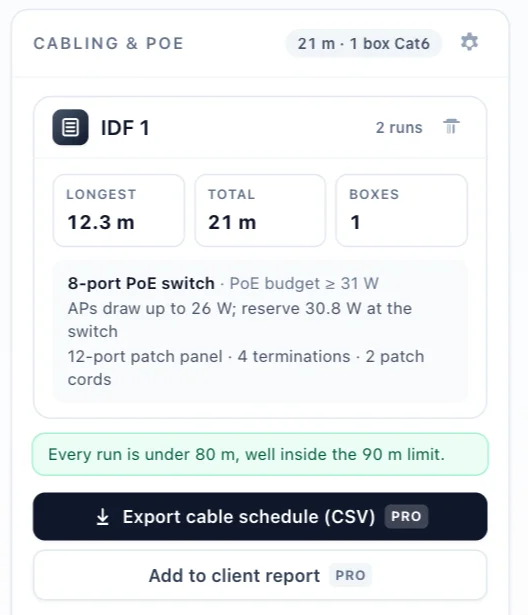
For each closet the panel sizes the PoE switch from each model’s datasheet class and maximum draw, with a reserve; it lists the patch panels, and the 305 m boxes of Cat6 or Cat6A, packed run by run (a run is never split across two boxes, so dividing the total by 305 would under-buy). A custom radio with no datasheet draw is assumed to be 802.3at.
Exports Pro
The cable schedule exports as a CSV that Excel opens as a table, with commas or semicolons to suit your computer’s locale. The client report gains a Cabling & PoE page: every run with its length and 90 m check, and what to buy (the report).
Limits
One floor at a time: runs stay on their own floor, so there are no risers between floors and no cable trays. Lengths are estimates from the drawing until you type the measured ones.