The client report
The deliverable: a landscape A4 PDF with your logo on the cover, a page per floor, what to buy and how to set it up, and the method with its error stated plainly. Built in your browser like everything else, so the client’s floor plan never leaves your machine. Pro
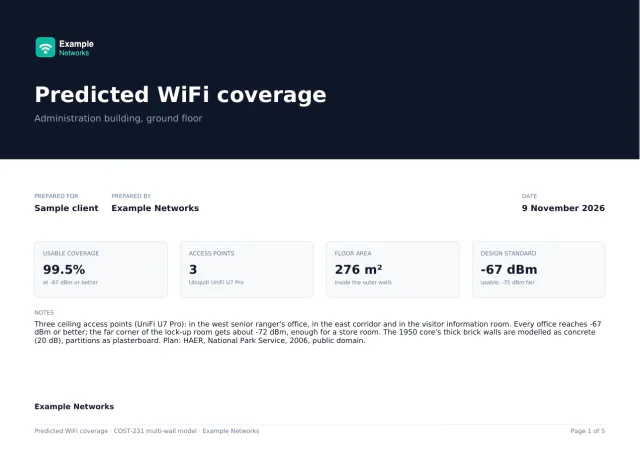
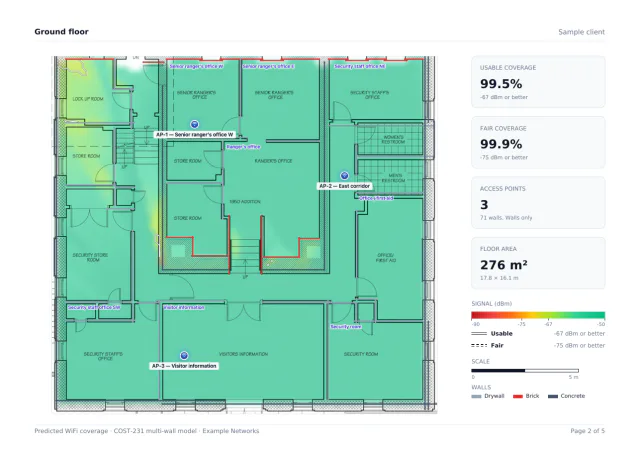
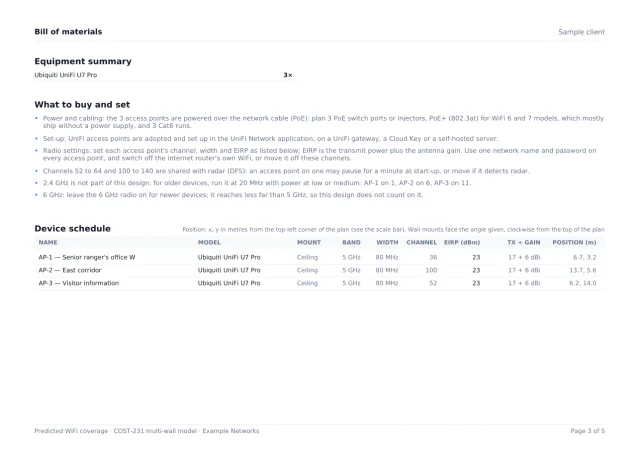
Pages from a real export: a sample office plan (HAER, National Park Service, public domain), designed in the editor and branded for a made-up installer. Open the sample report (PDF, 5 pages)
Page by page
| Page | What is on it |
|---|---|
| Cover | Your logo and company name, the client, the site, the date and the building-wide coverage figure. |
| A page per floor | The heatmap at full resolution, that floor’s coverage statistics and the signal legend. |
| Device schedule | What to buy and how to set it up, then every access point with its radio settings, channel and position in metres. |
| Methodology | The model, the exact attenuation figure used for each material, and the ±6 to 10 dB error stated plainly. |
| CapacityWhen it applies | Added when you have said what the rooms are for. Skipped when you have not. |
| Cabling and PoEWhen it applies | Added when the plan has a wiring closet: every run with its length and 90 m check, and what to buy. |
Branding and language
In the export dialog: your logo, your company name, the client’s name and the site. The report language is English or German (German number formats included); the editor itself is in English.
How to export it
- Finish the plan: scale, walls, access points, and a closet if you want the cabling page.
- Click Client report in the toolbar.
- Add your logo, company, client and site, pick the language, and export the PDF.
On the free tier, the export is a watermarked PNG of the heatmap with the first 5 access points. The report, the clean PNG and the cable schedule come with any of the three paid options (pricing).